Same-style image text repair
Edit Text in Image
Fix wrong prices, dates, numbers, labels, typos, and short headlines
Upload a finished image or photo, select the words or numbers you want to replace, type the exact new text, and generate a style-matched version. ImageTextEdit is built for focused creative repairs on images you own or have permission to edit, not records or documents.
Preparing an edit is free. Generation requires purchased credits; credit packs start at $1.99.
Start your edit
Upload once. Change only the text.
You can choose the image and prepare the edit before signing in.
Choose an image to start
Upload imageDrag and drop it here, or browse your files
PNG, JPG, JPEG or WebP
Up to 20MB and 4096 × 4096 pixels
Made with this editor
See how well it keeps the style
A public-domain price sign shows one number changing while the photograph stays intact.
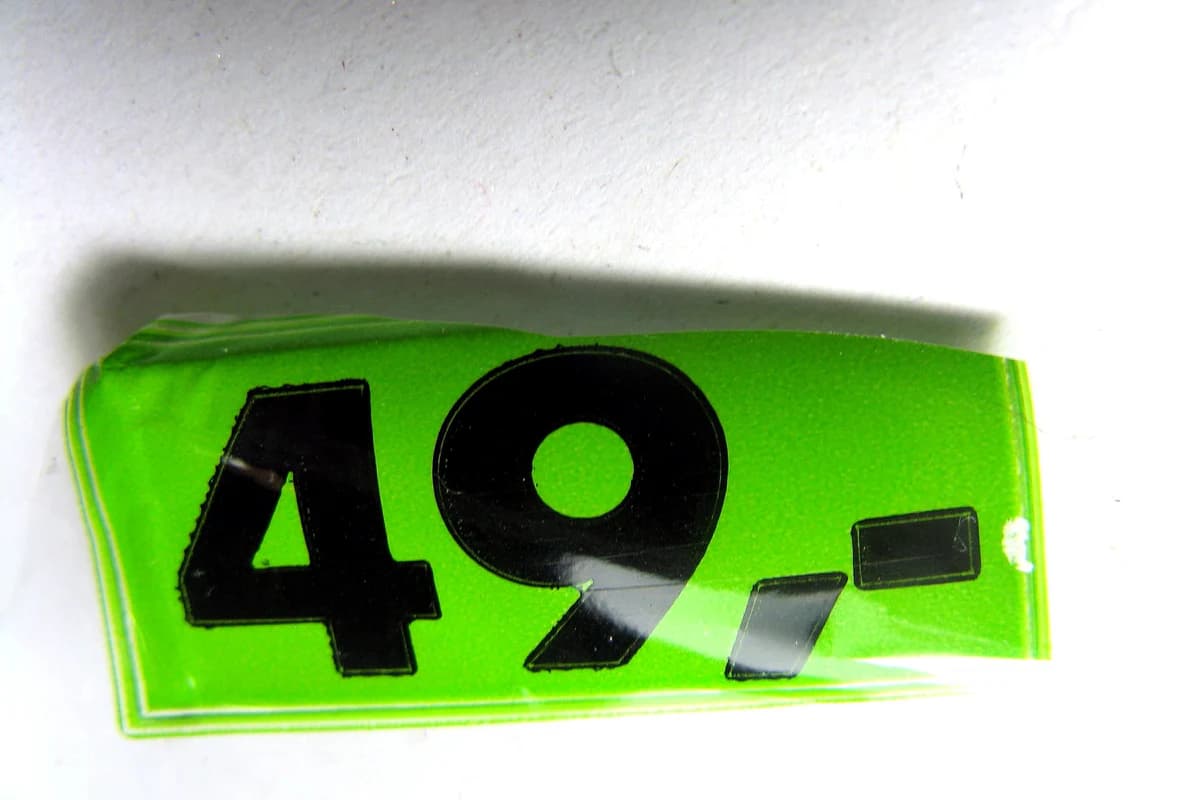
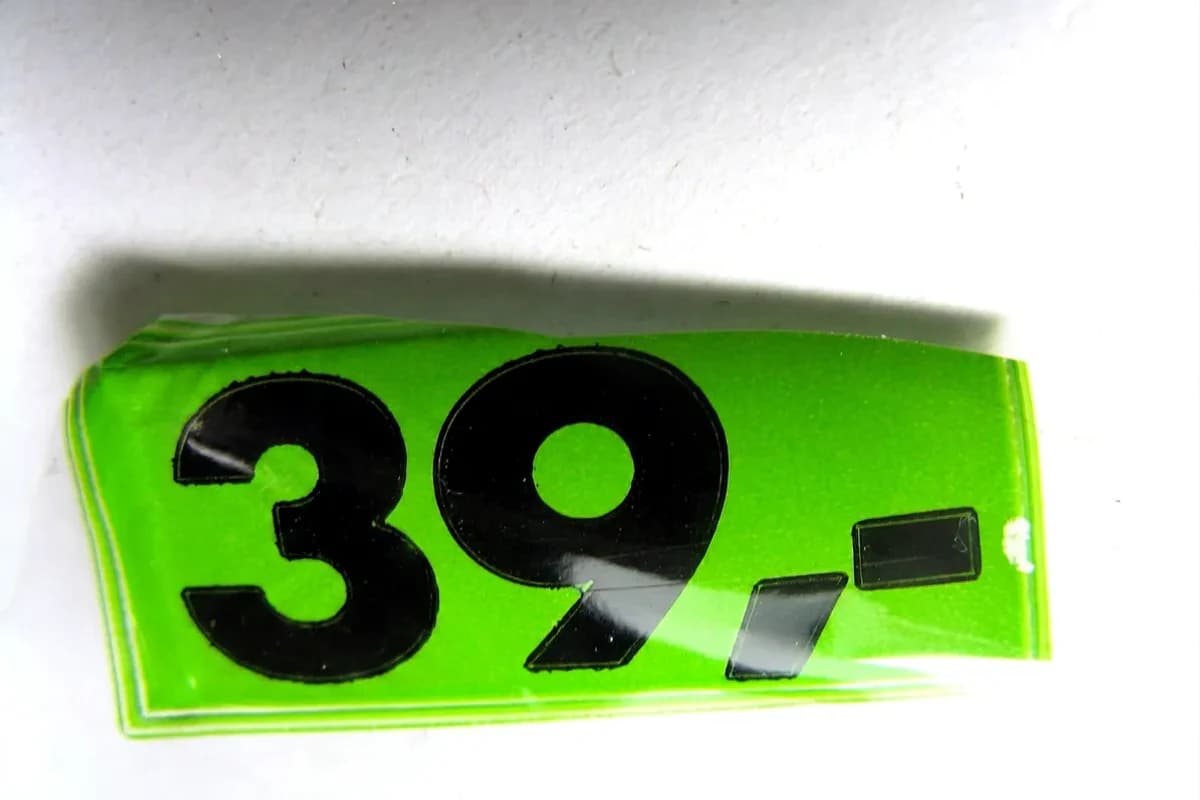
Loads the source, selection, and replacement text. Nothing runs until you choose Generate.
Real source, actual output
A real price sign changed from “49” to “39”.
The public-domain source photograph and actual ImageTextEdit output keep the same sign, angle, lighting, and background. Only the large number changes.
BeforeThe real source reads “49”.
AfterThe actual ImageTextEdit output reads “39”.
Source: Price.jpg by Paolo Neo · Rights: Public domain (commercial use permitted by the author)
Verified product activity
A focused editor with real usage behind it
Update the text you meant to change while keeping the finished visual intact.
- 39,000+
- Accounts created
- 34,000+
- Completed edits
- 900+
- Paying customers
A focused editor for finished-image text fixes
Use this editor when the image is already right but one small piece of text is wrong. Good fits include product prices, dates, short numbers, package labels, typo fixes, poster headlines, social graphics, AI-generated visuals, and ad mockups. The page is intentionally centered on creative and marketing assets instead of records, IDs, receipts, certificates, grades, or financial documents.
- Repair common finished-image mistakes: wrong prices, stale dates, incorrect numbers, label changes, typos, and short headline edits.
- Preserve nearby font style, color, lighting, and texture without rebuilding the original design file.
- Understand the limits before spending credits: tiny, blurry, dense, or distorted text may need a cleaner source image.
How to change text in an image
- Upload an image you can edit. Start with a finished photo, product image, social graphic, AI image, ad mockup, poster, or personal visual that you own or have permission to change.
- Select only the text to replace. Draw a tight selection around the old price, date, number, label, typo, or headline so the model has enough surrounding pixels to recreate the local font, shadows, and texture.
- Type the replacement text. Enter the exact new words or numbers and add short style notes when the original has a special color, angle, glow, texture, or spacing.
- Generate, compare, and refine. Review the result against the original image, then rerun with a tighter selection or clearer note if the first match is not good enough.
Common edit scenarios
Price or date update
Before: "$39" or "June 12" is baked into a finished product or campaign image.
After: "$49" or "June 19" keeps the same text color, edges, and background texture.
Best for short numbers and dates where the surrounding style is clear.
Label or word change
Before: "Original Roast" or "Summer Blend" appears on a package, mockup, or product photo.
After: "Decaf Roast" or "Winter Blend" blends into the same label style.
Works well when the replacement is close in length and the source image is sharp.
Typo or short headline fix
Before: a misspelled word, garbled AI-image text, or old launch headline spoils an otherwise usable image.
After: the corrected word or headline is regenerated in the same poster, ad, or social graphic style.
Use this when one text repair is faster than rebuilding or regenerating the whole asset.
Where the match can fail
- ImageTextEdit recreates the visual style; it does not extract the original font file.
- Very tiny, blurry, compressed, or heavily distorted text may not match cleanly.
- Dense paragraphs usually need smaller selections and separate edits instead of one large selection.
- Curved, warped, or partially hidden letters may need manual design work after generation.
Acceptable use
Use ImageTextEdit on images you own or have permission to edit, such as product photos, social graphics, ads, AI art, and personal visuals. Do not use it to alter receipts, IDs, certificates, grades, financial or legal records, evidence, or anything intended to deceive.
Supporting guides
- Change text in image
Use the focused change-and-replace workflow for one wrong word, number, label, or headline.
- Same-font editing guide
See how to select text and judge whether the generated letters match the original style.
- AI-image text editor
Repair misspelled or garbled words in AI-generated visuals and creative assets.
- Repair text in product screenshots
Update product, app, and walkthrough screenshots when UI copy or demo text changes.
- Fix garbled AI text
Learn when to repair an AI image and when to regenerate it instead.
FAQ
Can ImageTextEdit match the original font exactly?
It recreates the visual style of the surrounding text rather than finding the original font file. Short, clear text with good nearby examples gives the closest match.
What kinds of images work best?
Finished images and photos with short readable text work best: prices, dates, numbers, labels, typos, short headlines, product photos, social posts, ad mockups, AI-generated graphics, posters, and simple personal visuals.
Can I edit text in a photo?
Yes. Upload a photo you own or have permission to edit, select the text area tightly, and enter the replacement text. Sharp product photos, signs, labels, and creative images work better than blurry or tiny text.
What should I not edit with this page?
Do not use this page to alter receipts, identity documents, certificates, grades, financial records, legal records, evidence, or anything meant to mislead someone.
Does each edit use credits?
Generating a replacement uses credits, so start with a clear image, a tight selection, and exact replacement text before you run the edit.
Related Tools
Explore more ways to edit text in your images with our AI-powered tools.